OIYNUP AI Pin
A hero by your side

A kids' watch where the game's hero lives. The hero answers questions, asks riddles and plays mini-games with the child.
Hear about the launchReal screens
On the watch
These are screenshots of the KT38 test watch running the interface of 9 October 2026, not drawings.
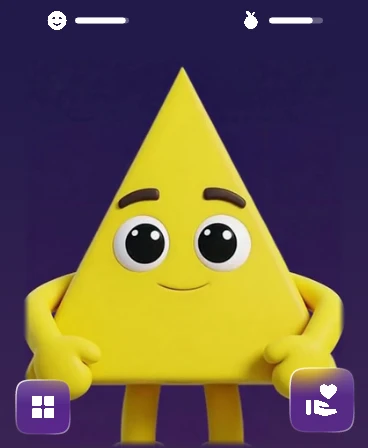
Home screen with the hero 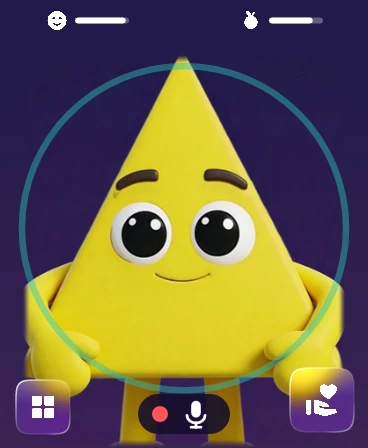
The hero listens to a question 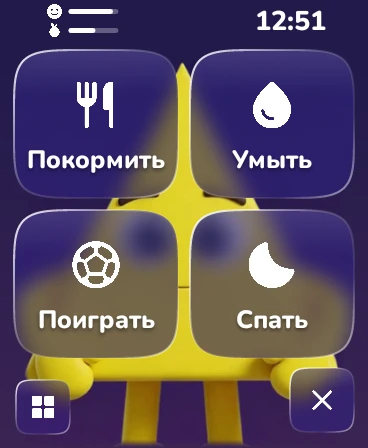
The hero care menu 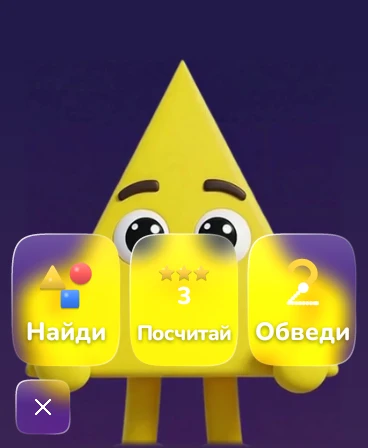
Three mini-games 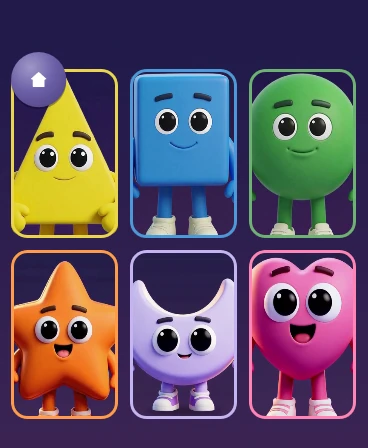
Choosing a friend among six heroes
Feature status
What the hero can do
Status as of 12 October 2026
Adults on the team are testing the watch for now. Children will get it after the safety review.
- works
Tap the hero and ask
The hero answers aloud in its own voice in Kazakh, Russian or English.
- works
Mini-games without internet
Find the Shape, Count and Trace run right on the watch.
- works
Caring for the hero
The child can feed the hero, wash it, play with it and put it to bed. The hero never gets sick or offended.
- works
Choosing a friend
When the watch starts for the first time, the child picks a hero, and the hero introduces itself in its own voice.
- in progress
Walkie-talkie with parents
The child records a message for mum or dad and listens to the reply. The watch screen is ready; the link with the parent app is still being tested.
- planned
One hero in the game and on the watch
Outfits from the game will move to the watch. Work on linking the game and the watch has not started yet.
How it is used
A day with the hero
The clips show how a child uses the watch. The children in the clips are drawn; the watch screen is real.
worksOn a walk, the child taps the hero and asks a questionAnimation: MiniMax H3 worksAt home, the child takes care of the heroAnimation: MiniMax H3 worksAt a party, the child plays a mini-game with the heroAnimation: MiniMax H3 worksIn the park, the child picks a hero as a friendAnimation: MiniMax H3 in progressAfter school, a message arrives from the parentsAnimation: MiniMax H3 plannedIn the evening, the child picks an outfit from the game for the heroAnimation: MiniMax H3
For parents
The parent app
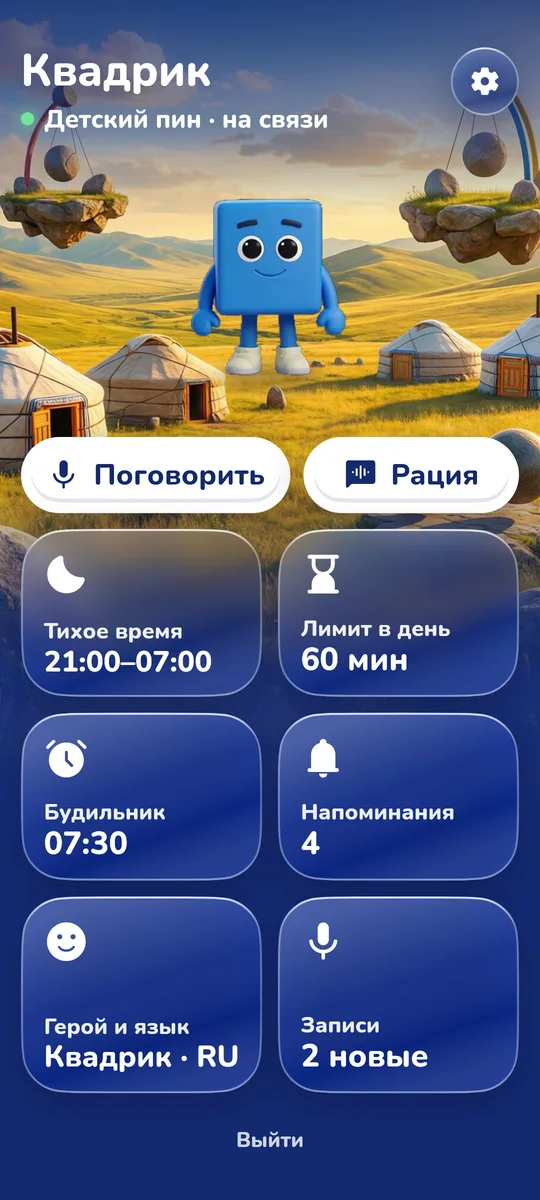
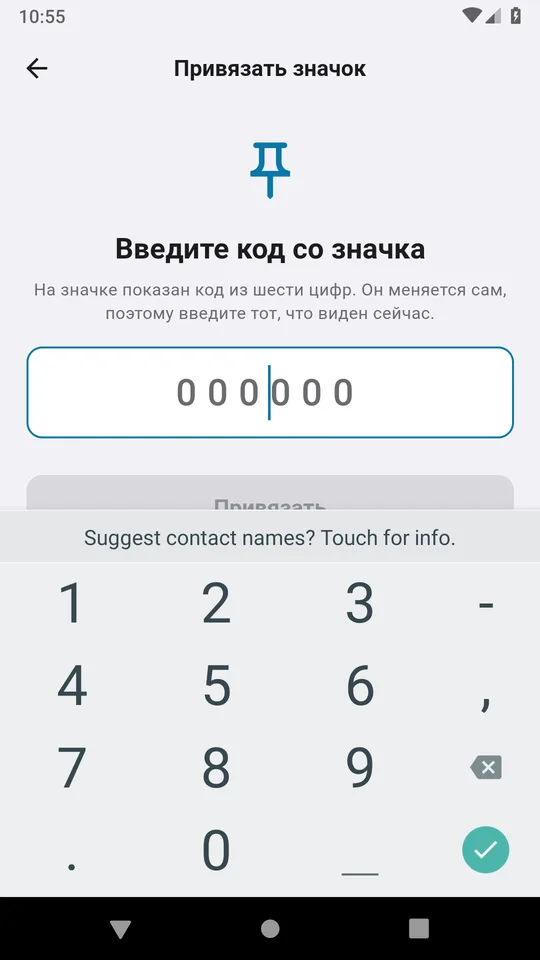
in progressA parent signs in with Google and links the watch with the code shown on its screen. The app sets quiet hours, a daily minute limit, an alarm and reminders.
Linking was tested with a simulated watch and is still being tested with the real one. The screenshots show a test build of the app with sample data.